NOTE - This is a STOCK system feature of the Jumble Saler STOCK and COMICS edition. You can test the stock system them in the Jumble Saler FREE edition, but you will not be able to publish your auctions with them.
Comic and product sets list
For items such as newspapers, books and comics, you can group your individual stock items into sets. For example, you could do full year sets of monthly magazines, so sets of weekly comics for a particular month or a range of comics such as issues 1-10, 11-20, 21-30, etc. With comics, you can also create custom sets which have all the issues of a particular story, such as Star Wars Weekly where the first 6 issues where the story of the film in comic format.
Types of records
NUMBER TEMPLATES - Create sets based on numbers. Not all comics and magazines have numbered issues, but this is good for those that do. Create is 2's, 5's, 10's, 20's, etc (or any other number).
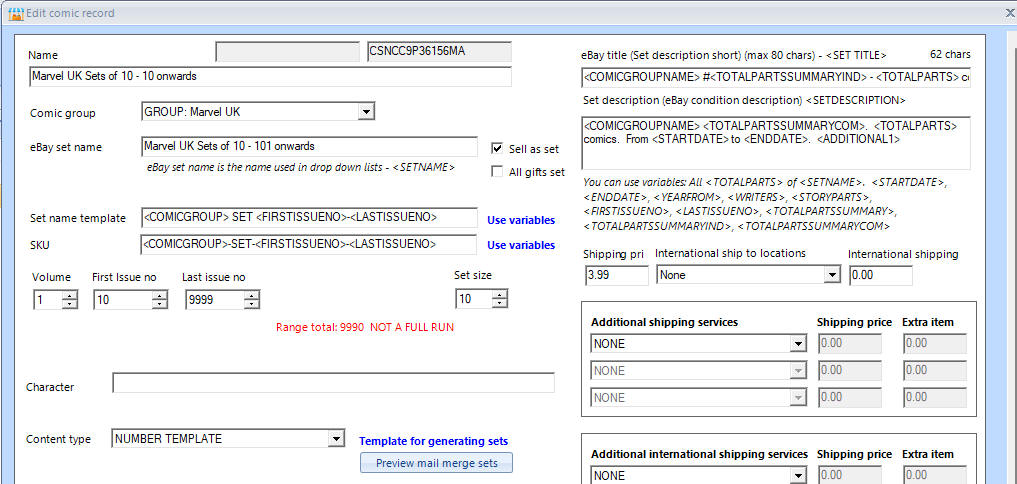
You can group different comic and other product ranges together. For example, you might have 5 comic groups that have their 'Mail merge group' set to say 'Marvel UK' in their comic group's record:
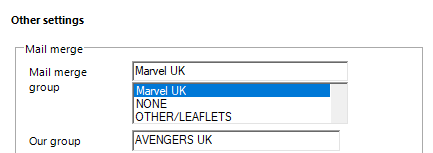
and then when you create a NUMBER TEMPLATE, you can do for an entire group in one go. If you look in the above picture, you can see that variables (place holders) are used:
Set name template:
<COMICGROUP> SET <FIRSTISSUENO>-<LASTISSUENO>
SKU:
<COMICGROUP>-SET-<FIRSTISSUENO>-<LASTISSUENO>
eBay title:
<COMICGROUPNAME> #<TOTALPARTSSUMMARYIND> - <TOTALPARTS> comics
Set description:
<COMICGROUPNAME> <TOTALPARTSSUMMARYCOM>. <TOTALPARTS> comics. From <STARTDATE> to <ENDDATE>. <ADDITIONAL1>
Other variables (place holders) you can use include:
<PUBLISHER>
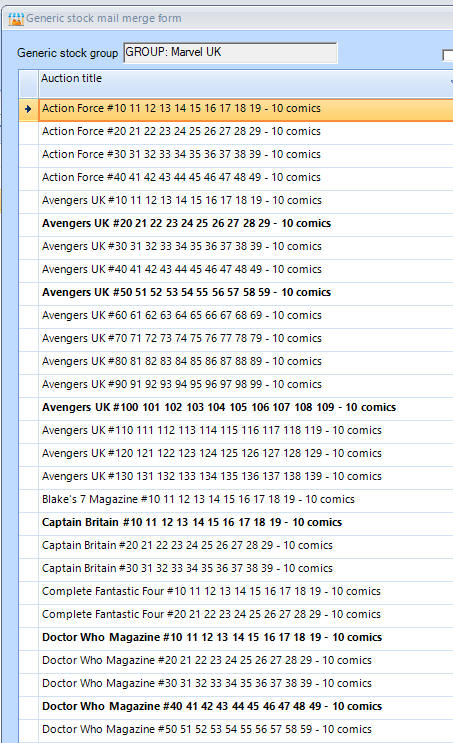
and then set records are created. Use the 'Preview mail merge sets button, to look at the records that will be created:
eBay SKU (Stock Keeping Unit) i.e. Product code
You need to keep the number of characters to a maximum of 43, so if the group name is long, then you can use <SKUPREFIX> instead to use put in a shorter name for the set product code.
Other SKU variables
<COMICGROUPNS>-SET-<FIRSTISSUENO>-<LASTISSUENO>
COMICGROUPNS - is the no spaces version
<SKUPREFIX>-SET-<FIRSTISSUENO>-<LASTISSUENO>
<COMICGROUPNS>-SET-<MONTH>-<YEAR>
<COMICGROUPNS>-SET-<MONTHSHORT>-<YEAR>
Getting started
You will need to have set up a product group and added some products first.
Use the 'Add' button start looking at creating a set and then use the Help page on that screen for further information.