Welcome to the Jumble Saler Manager
The Jumble Saler Manager is part of Jumble Saler. See the Jumble Saler Manager help page.
The Jumble Saler Manager main jobs are to:
- Download your auctions to your computer, so that you can use them in Jumble Saler.
- Download your watchlists and display notifications just before auctions are about to end, or send emails if you are out and about. See Jumble Saler Watchlist for more information.
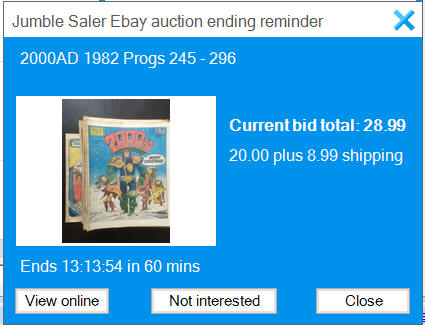
- Run your eBay searches once a daySee Jumble Saler Search System for more information.
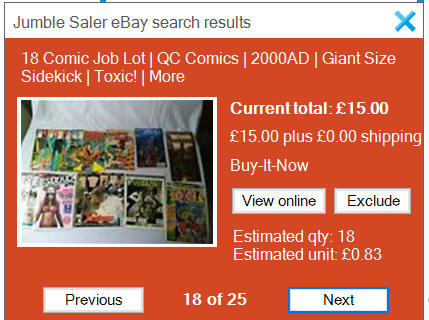
- Run searches for rare items and display immedate notifications rare items with Buy it now auctions::
Controlling Jumble Saler Manager
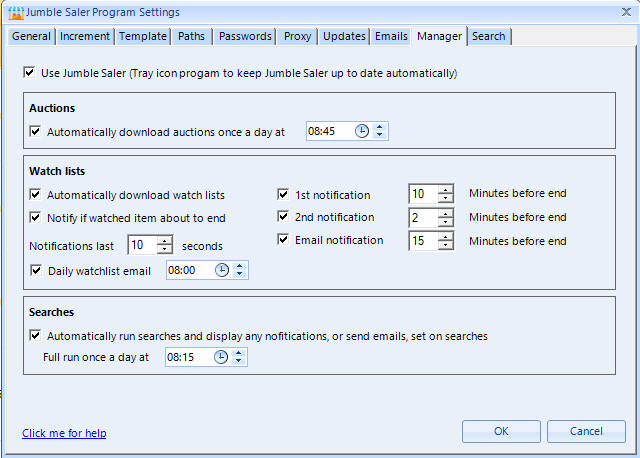
Open Jumble Saler and then on the 'File' menu, use the 'Program settings' and then go to the 'Manager' tab.
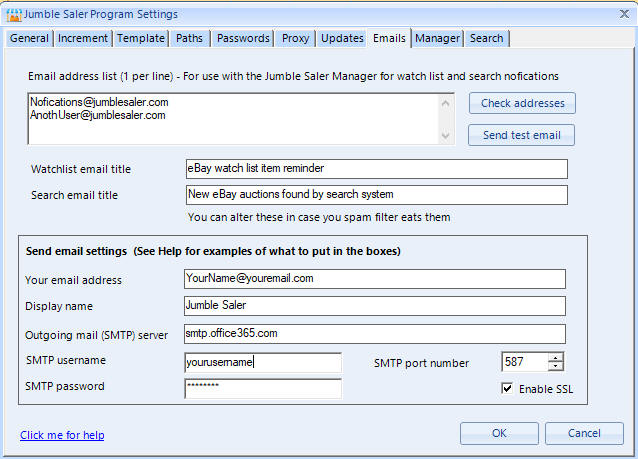
If you want the Jumble Saler Manager to send you emails (rather than notifications or as well), then you will also need to setup the 'Email' tab settings as well:
Completely shutting down the Jumble Saler Manager
Click on the 'Options' menu, then 'Compeltely shut down Jumble Saler Manager'. If you have set the Jumble Saler Manager to start with Windows, then it will come back on next time you re-start Windows. You can also turn back on by selecting the Windows Start Menu option for the Jumble Saler Manager.
Jumble Saler starting with Windows - Turning on or off
Click on the 'Options' menu, and then either use the 'Disable start with Windows' or 'Enable start with Windows'.