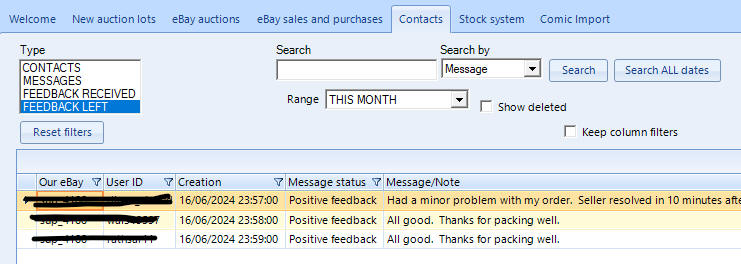
Jumble Saler Contacts tab
This tab is part of the Jumble
Saler eBay Contact Manager / CRM system which automatically creates a
'contact record' for all eBay buyers and sellers you deal with. Jumble
Saler will autoatically download or messages, feedback and orders for buyers
and sellers you deal with.
This can be extremely useful for:
1. Searching on a buyer's eBay ID and then being able to see what they have bought previously, and their messages and feedback they have left you before. You may be happier accepting offers or giving better discounts to people that buy regularly. With the Standard and above editions of Jumble Saler, you can also add your own notes or tasks to the buyer's contact record. You can even create contact records for non-eBay customers you deal with.
2. Searching on a seller's eBay ID and looking at past purchases from seller. With the Standard and above editions of Jumble Saler, you can also add your own notes or tasks to the buyer's contact record. You can even create contact records for non-eBay suppliers you deal with.
Searching for either a buyer or seller
Make sure the Type is set to 'CONTACTS' and the 'Search by' is set to 'UserID'. Then enter (or copy and paste) the buyer or seller's eBay user ID into the search box and then click on the 'Search ALL dates' button:
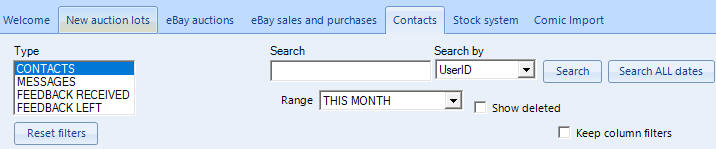
This will then display contact record or contact records for the user if found. If you have the Jumbler Saler Standard or above edition, then this supports multiple eBay accounts. If you have say 2 eBay accounts and have dealt with the buyer or seller on both accounts, then you will see 2 contact records, one for each eBay account.
Searching all previous messages if you cannot remember who the buyer or seller was you are looking for
Make sure the Type is set to 'MESSAGE' and the 'Search by' is set to 'Message'. Then enter some text in the Search box and click on the 'Search ALL dates' button.

This will display all messages that match your search text.
Viewing feedback you have received from both buyers and sellers
Set the Type to 'FEEDBACK RECEIVED' and then make sure the search box is clear.
Viewing feedback you have left for others - BUYING ONLY
This can be useful when you are looking at bidding on an eBay auction or a buying from a Buy it now and you can remember buying from that seller. Some sellers you may wish to avoid from past bad experiences, so keeping what feedback you have left against that seller's record can be useful.